If you have a Microsoft Business account and have lost 2-Factor Authentication for your Microsoft account, this article will help you understand how to regain access and reset Microsoft MFA securely.
Table of Contents
What is a Microsoft 365 Business account?
A Microsoft 365 Business account is an account that your company gives you to use tools like Outlook, Teams, Word, and OneDrive. It is managed by your IT admin, which means you may not always be able to reset things on your own. For example, if you forgot your password Microsoft 365 Business account or lost access to your MFA method, you will need your admin to help you regain access. These accounts are different from personal Microsoft accounts because they follow the security rules set by your organisation.
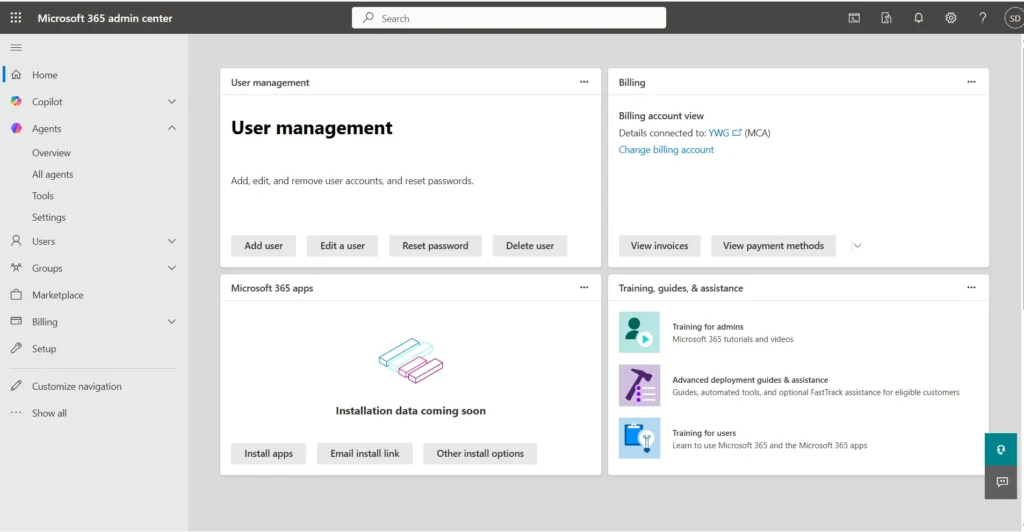
Various steps to Reset Microsoft MFA
There are two scenarios where your password Reset may be required.
You have an alternative Verification method, like a phone number
If you forgot password for Microsoft 365 Business account, you can recover access using an alternative verification method. Click “I forgot my password” and choose another recovery option, such as receiving a verification code on your contact number.
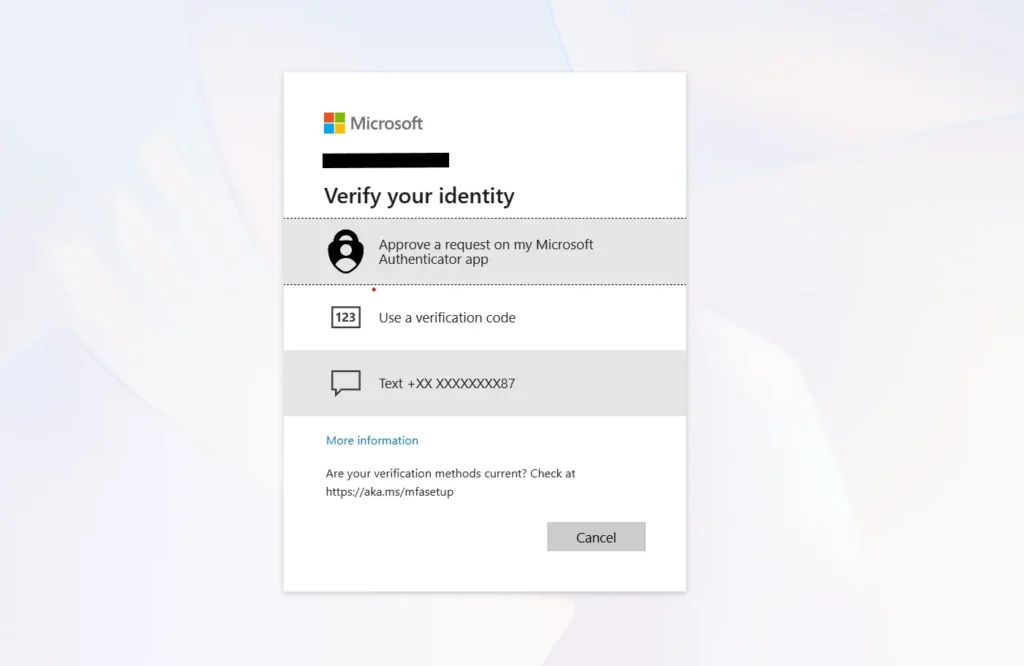
Once you enter the recovery code, you should be able to set up a new Password.
Reset using the Microsoft Admin page
If there are multiple admins on your Microsoft 365 Business account, you can reset Microsoft MFA for an Admin from the Cloud Admin page.
Go to Home > Active users, then click the key button to proceed. Furthermore, you may be prompted for your Authentication, if necessary.
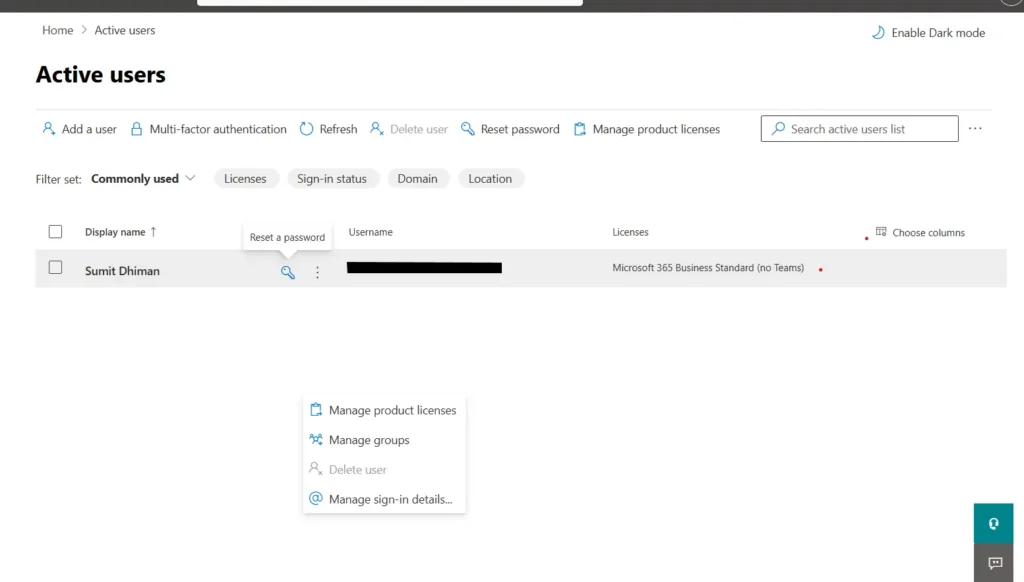
Reset Microsoft MFA & Recover Access to Your Microsoft 365 Admin Account using a phone Call
Another option is to contact Microsoft support if you are locked out of your account. Please note that this method works only for Microsoft 365 Business accounts; for consumer Outlook accounts, you must complete the recovery form as described here.
Get the Country Support phone number
First step you would need to do is to get the contact number for the country, using this Microsoft support document.
Customer service phone numbers – Microsoft Support
Once you have done that, call the number. See the extensive details on how to reach a Human:
Navigating the Support IVR — Step-by-Step
When you call Microsoft support to reset Microsoft MFA or resolve a forgot password for a Microsoft 365 issue, follow these IVR prompts:
- Wait out the intro — You may hear a ~30-second automated introduction (e.g., “you can visit the link…”). Ignore it and wait for the menu options.
- Press 1 — Select yourself as a business email user
- Press 1 again — Choose technical help
Automated IVR Conversation Guide
In some regions, the initial interaction is fully automated. Use these answers to navigate it:
- What kind of problem are you experiencing? — Answer: Login technical support.
- What product are you contacting us about? — Answer: Microsoft 365 Business Standard.
- Is this a new case or an existing case? — Answer: New case.
- Are you a Global Administrator? — Answer: Yes.
- Are you the Global Administrator for the domain? — Answer: Yes, I am the Global Administrator for the domain.
- Would you like to be connected with a Microsoft representative regarding your issue? — Answer: Yes, please.
- If asked to verify your phone number: Confirm that the phone number is already associated with the Microsoft 365 administrator profile.
To verify your identity and regain access to your Microsoft 365 administrator account, the Data Protection Team will need:
- ✅ Company name
- ✅ Billing details linked to your subscription
- ✅ Phone number on file
- ✅ An alternate email address
- ✅ Any other details associated with your Microsoft 365 account.
These steps can help you get access to your Microsoft 365 Business account.