Microsoft’s annual development conference, called Microsoft Build, kicked off yesterday. After several years, Windows is at the forefront again, and Microsoft announced several new upcoming Windows 11 features coming soon to Windows during the Build, mainly focusing on AI Technology. Let us discuss them one by one in detail.
New Windows Copilot app
The first new feature for Windows 11, which was announced, is the Windows Copilot app, a full-fledged AI-powered chat that docks to the sidebar and can help you automate tasks, get answers, manage Windows functions, etc.
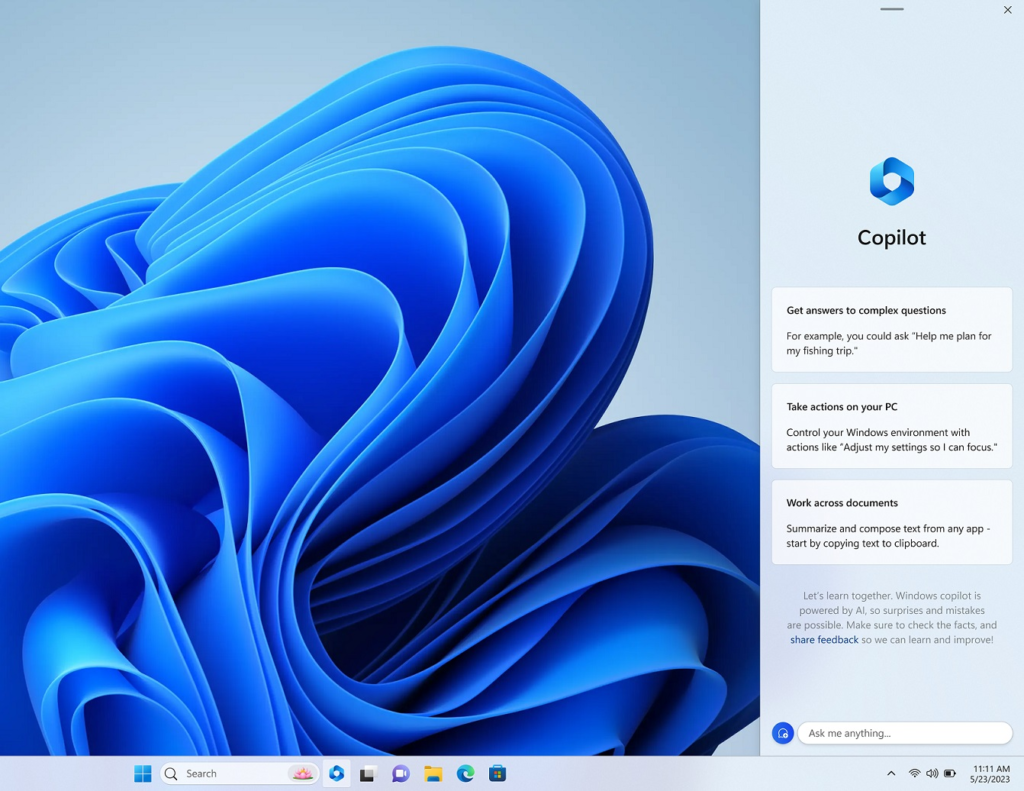
Additionally, Windows Copilot can detect the app opened on the screen and, as a result, can suggest actions based on it.
The Windows Copilot button will be conspicuous at the “front and centre of the taskbar”, says Microsoft.
Windows Cpoilot will be available next month in the Windows Insider Builds. You can uninstall it using How to uninstall Copilot guide.
Windows 11 new features: New Modern File Explorer announced at Build
Microsoft also teased the new Modern File Explorer based on WinUI3 technology yesterday. Instead of building it on UWP Technology, Microsoft is revamping the UI, sticking to Win32.
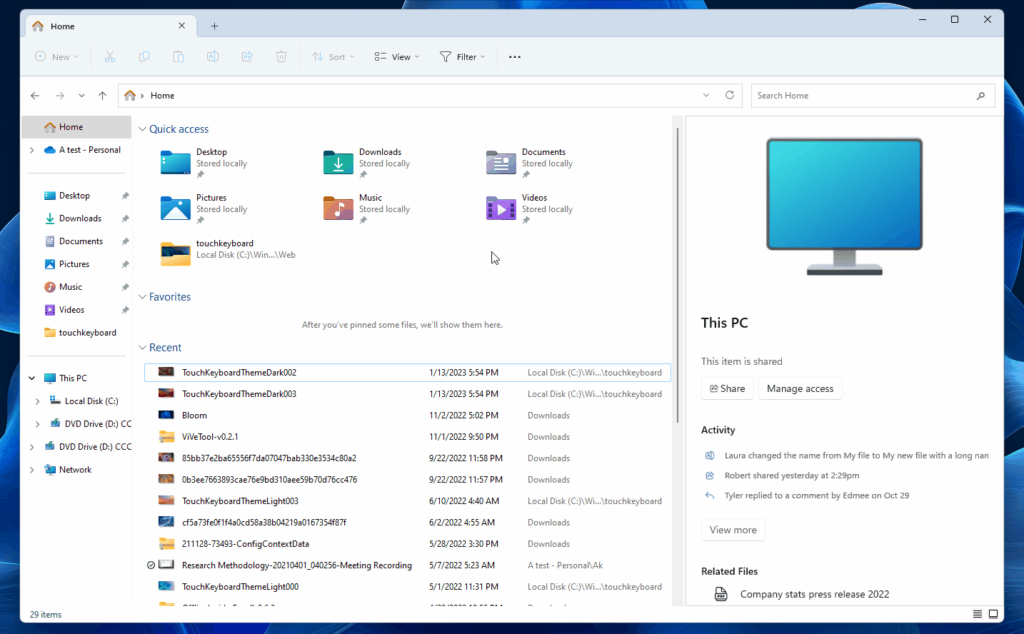
The modern design updates will encompass various elements within the File Explorer. A fresh and contemporary look will be introduced from the details pane to the folder view. Furthermore, aligned with the new design, both the Address and Search bars are set to receive enhancements. A noteworthy change will also be observed as the File Explorer action buttons are relocated below the address bar.
Next up is the enhanced Details pane. This enhanced pane is touch-friendly and powered by the dynamic capabilities of Microsoft 365. File Explorer now empowers you to access information effortlessly with Microsoft 365 integration. You can now conveniently view and explore emails, threads, comments, tags, and additional details about files shared within your organization directly within the File Explorer interface.. This seamless integration truly enhances your file management experience.
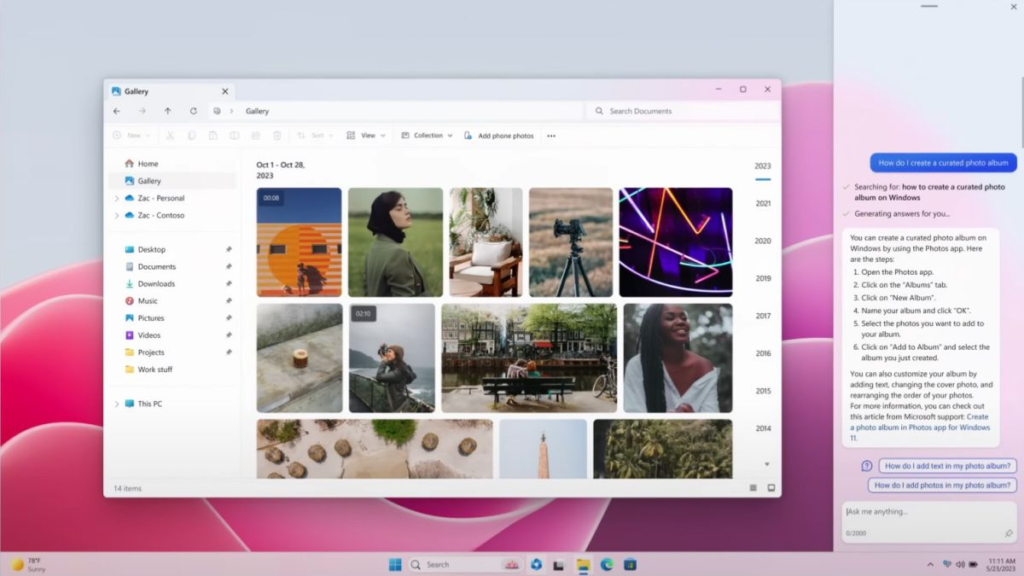
Also seen is a new Gallery Pane. This new gallery view uses XAML and shows images from your computer in an attractive format, similar to modern Windows 11 apps. It will show all the Pictures in the pictures folder.
Native support for RAR files in Windows
Microsoft also announced that it is now adding native support for additional archive formats, including tar, 7-zip, rar, gz and many others using the libarchive open-source project. It will be available very soon to all the public, possibly with the Windows 11 update drop tomorrow, for Windows 11 22H2, having many new features.
Microsoft Store Improvements
Several improvements related to Microsoft Store were announced at Build 2023. Three essential talking points are as follows:
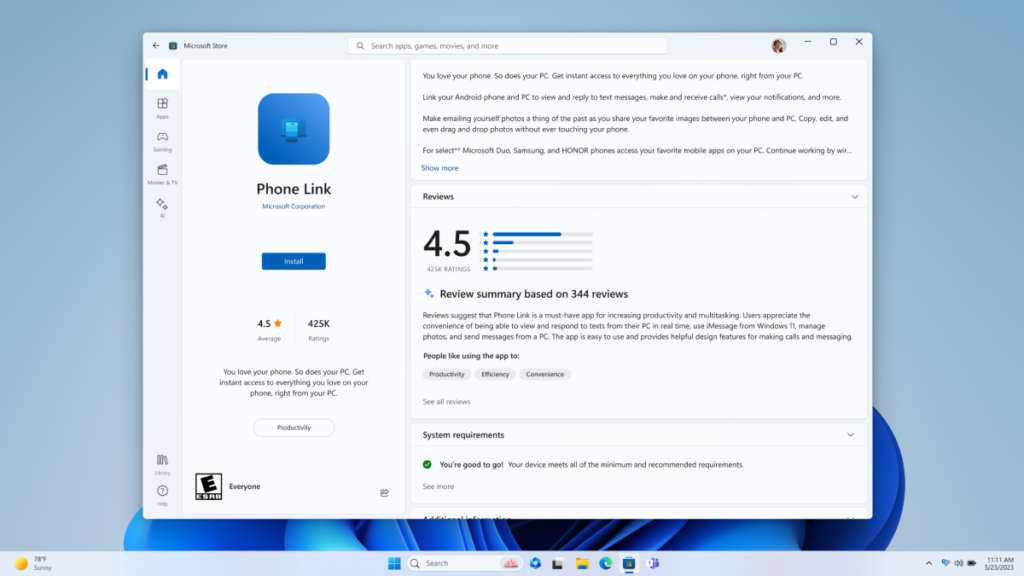
- The company is introducing a dedicated “AI hub” to the storefront, curating AI-powered apps developed by third-party Windows developers.
- Microsoft is incorporating AI into the search and reviews functionality of the Store app. Soon, the Store app will be able to condense and summarize app reviews, offering users a comprehensive snapshot of an app’s quality without the need to delve into individual reviews.
- Experience Seamless App Restoration: When transitioning to a new Windows 11 device, apps will effortlessly be retained. This intuitive feature ensures that a new device instantly feels familiar right from the initial sign-in while also assisting developers in maintaining their valuable customer base.
Further, read:
Welcoming AI to the Microsoft Store on Windows – Windows Developer Blog



