Microsoft recently introduced the third tier of Microsoft 365 paid plans, i.e. Microsoft 365 Premium, which is a rebundle of the previous Copilot Pro Plan. Alongside Microsoft 365 Personal features, you get LinkedIn Premium with Microsoft 365 Premium Bundle for College students, which is what we will discuss in this article.
Update 25th February: Microsoft and LinkedIn have published a support document that the LinkedIn Premium with Microsoft 365 Premium student trial offer was previously available to eligible LinkedIn members in select regions, under which Microsoft issued a limited number of redemption codes that could be claimed directly through Microsoft. The campaign has now concluded, and no new codes are being distributed.
Table of Contents
What is Microsoft 365 Premium?
Microsoft 365 Premium is a subscription plan designed for people who want powerful AI tools, robust security, and ample cloud storage in one package. It works on Windows, macOS, iOS, and AnAndroiddroid, and you can share it with up to six people. The plan includes Microsoft Copilot for smarter writing, design, and productivity, alongside apps such as Word, Excel, PowerPoint, Outlook, OneDrive, and Teams. Each person gets 1 TB of secure cloud storage, plus additional features such as advanced email protection, video editing with Clipchamp, and AI-powered design tools. It costs 200$/year.
Student Plan for Microsoft 365 Premium
College students can now get a special offer for 12 months of Microsoft 365 Premium and LinkedIn Premium Career at no cost. This plan is designed to help students study smarter, stay organised, and prepare for internships or jobs using AI tools such as Copilot, Researcher, and Analyst. Alongside apps such as Word, Excel, PowerPoint, and OneNote, students also get 1 TB of cloud storage and strong security features. The best part is that this offer also includes LinkedIn Premium with Microsoft 365 Premium, giving students access to career insights, InMail credits, and expert‑led courses to build skills and stand out to recruiters.

How to redeeem Linkedin Premium with Microsoft 365
To redeem the LinkedIn Premium student plan with Microsoft 365 Premium, you can start the process here, which specifically includes a student verification email for LinkedIn offer:
Microsoft Student Discount on Office, Word | Microsoft 365
The next steps are given below.
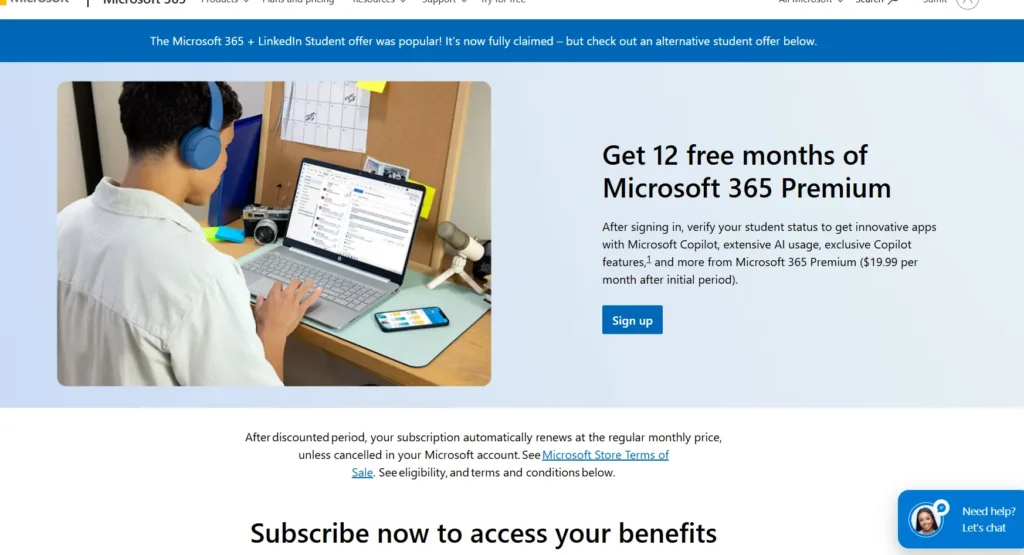
Sign up and add a payment method
Since this is a yearly trial, you must add a payment method. Once you sign up add a valid payment method to validate your ownership.
Verify your Student status
Next, since LinkedIn Premium with Microsoft 365 is a student-exclusive discount, verify your account with a student status, for example, your email address. You must ensure that the Email ID you are trying to sign up with Premium is added to your LinkedIn Account.
Complete the Sign up
After completing sign-up for the Microsoft 365 Premium Plan, the Office apps, including Word, activate immediately, including Copilot features.
Claim the LinkedIn Premium Student plan enrollment
You should be all set – the unique Link to redeem LinkedIn with Microsoft 365 Premium should be sent within 7 days to your Email.
Haven’t received the verification email for your LinkedIn Premium account yet? Check here
If you have waited from 7 to 10 days and ensured verification email for LinkedIn Premium has not arrived in Junk or spam, see the steps below:
Verify your account here: https://verify.microsoft.com/
Note: You must enter your personal (non-Edu) email address, not the school email address, in the Profile section – email address.
Contact LinkedIn support here: Contact us