If you are looking for how to cancel ChatGPT subscription for your account, you are at the right article. If you know about ChaGPT, simply click in the TOC link to find the desired information.
Table of Contents
About ChatGPT
ChatGPT is a AI language model created by OpenAI that excels at understanding and generating human-like text through advanced natural language processing capabilities. The AI delivers real-time intelligent assistance for enhanced productivity, content summarisation, and task automation, functioning as the core intelligence that drives Copilot’s comprehensive features. Users seeking to manage their subscription can easily learn how to cancel their ChatGPT subscription through OpenAI’s account page, where they can access subscription settings, select cancellation options, and confirm the termination of their paid plan. You can download ChatGPT for Windows 10 or Windows 11 using this guide.
ChatGPT available Plans
There are three available plans for ChatGPT: Free, Plus and Pro. Each tier has its specific set of features, summarized in this paragraph:
ChatGPT offers three distinct plans to suit various needs. The Free plan is suitable for everyday tasks, providing access to GPT-5 with limitations on file uploads, image generation, and research. For more demanding users, the Plus plan, at 20$ per month, delivers more advanced intelligence, expanded and faster features, and access to tools like Sora and Codex. The top-tier Pro plan, priced at a hefty 200$ per month, provides full, unlimited access to all features with maximum capabilities and previews of new tools. If you find your current paid plan no longer meets your requirements, it should be necessary to learn how to cancel your ChatGPT subscription and revert to the free version through your ChatGPT’s account’s billing settings.
How to Cancel ChatGPT subscription of Pro or Plus
If you want to know how to cancel a ChatGPT subscription, see below for the detailed steps.
- First, go to ChatGPT.com
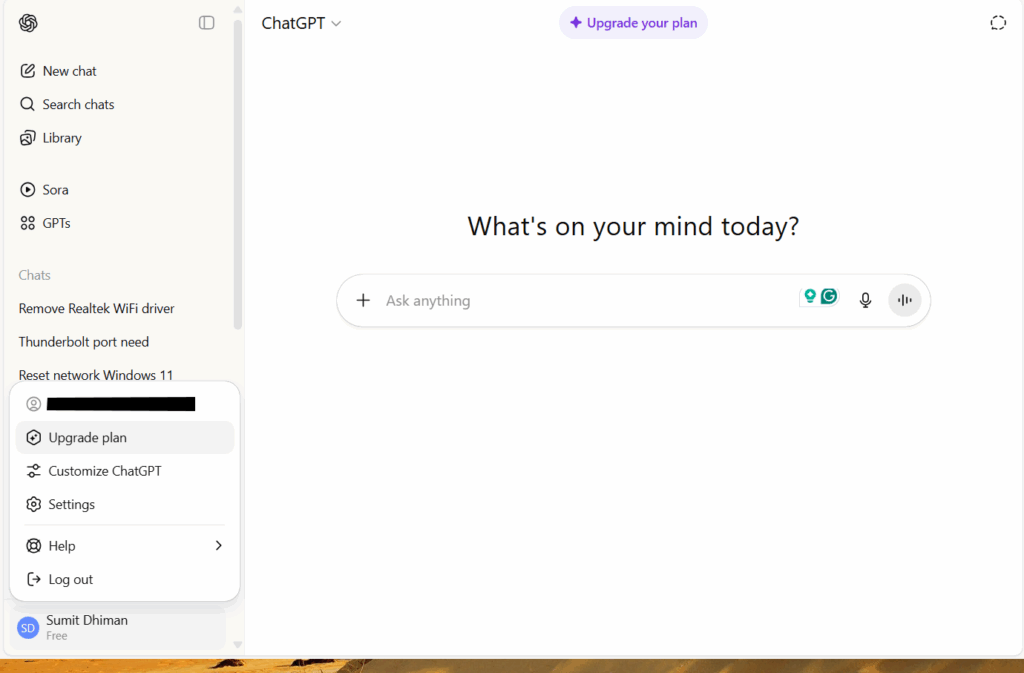
- Next, click on your profile icon on the Bottom left. Consequently, Choose Settings. Additionally, See the Image below.
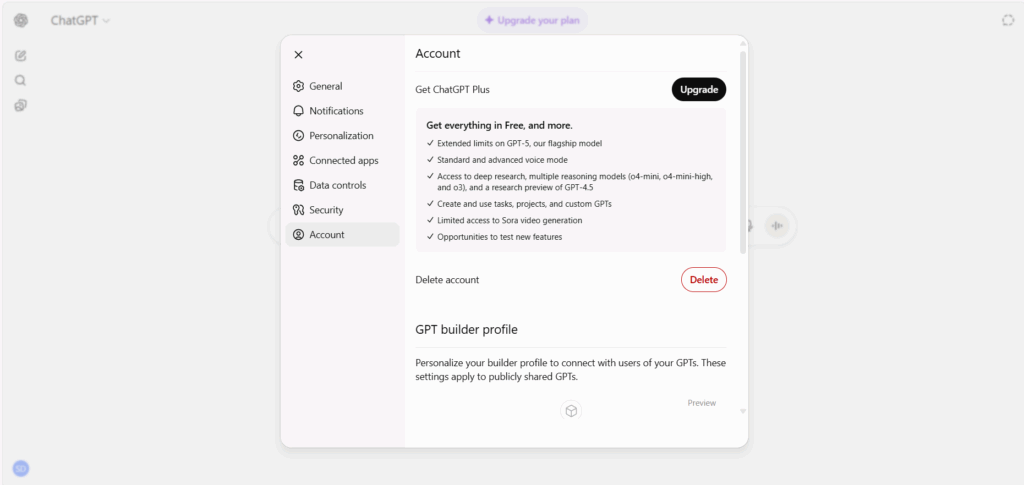
- Select the account option.
- Under Account, click Cancel Subscription.
If your account shows a free plan, the debit might be from another account. Try logging this account, and the other one.
Additionally, ensure your Family member is not using your card as well, so consider asking them if they have an active subscription.
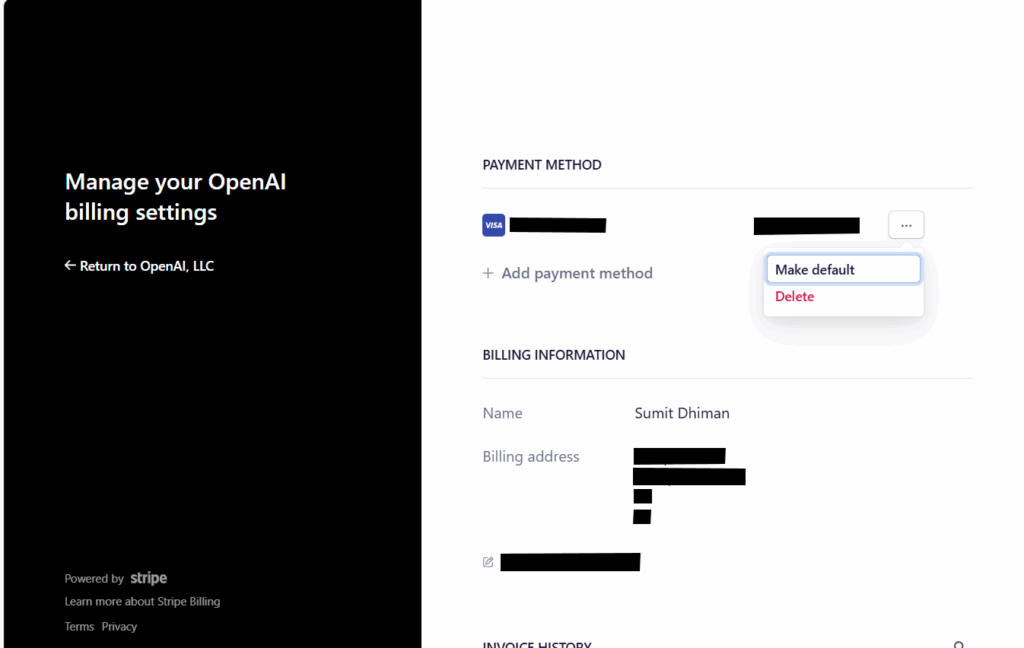
Here is also a direct page to manage or cancel ChatGPT subscription:
Cancel ChatGPT subscription on iPhone or Android
If you are using ChatGPT on your mobile device and want to cancel ChatGPT subscription on iPhone,
- First, navigate to the Settings application on your iPhone.
- Tap on your name and Apple ID displayed at the very top of the screen.
- From the subsequent menu, select the Subscriptions option.
- A list of all your active subscriptions will be presented. Locate and tap on ChatGPT.
- Select the Cancel Subscription button. You may need to scroll down to find it.
- A pop-up window will ask you to confirm your decision. Finalize the process by confirming the cancellation.
Some points to consider if you are cancelling ChatGPT subscription either from Web or Phone:
- Your subscription will remain active for the current period.
- Importantly, deleting your ChatGPT account on the official website does not automatically cancel a subscription that is billed through the Apple App Store. You must follow the steps above.
These steps can help you know how to cancel ChatGPT subscription on iPhone or Web.