Internet service providers can charge based on the amount of data used on your computer. This is known as a metered Internet connection. These plans often have a data limit, and if you exceed that limit, you may incur additional charges for the excess data. In some cases, your speed might slow down for the remainder of the billing cycle, as happened to me. This article helps you to configure Ethernet connection as Metered in Windows.
If you have a metered Internet connection, setting your network connection to metered in Windows can help you reduce the amount of data you send and receive, and prevent Windows Update from automatically downloading and installing updates.
What happens when you set your connection as metered?
- Windows Update will ask you before downloading the updates.
- You can update Windows Defender definitions directly in Windows Defender/
- Modern apps would require a manual check.
- optional features like Speech pack etc etc cannot be downloaded
IIn simple terms, you can set your wireless networks as metered. Cellular networks are metered by default, and this setting cannot be changed. Windows allows you to change the Wi-Fi connection to metered through the settings app. However, for Ethernet connections, Windows does not provide an option to set it as metered directly. To do this, you need to modify the registry..
How to set Ethernet as Metered
- Open Registry Editor by opening the Run dialog box and typing in regedit
- Navigate to the following key :
HKEY_LOCAL_MACHINESOFTWAREMicrosoft\WindowsNT\CurrentVersion\NetworkList\DefaultMediaCost
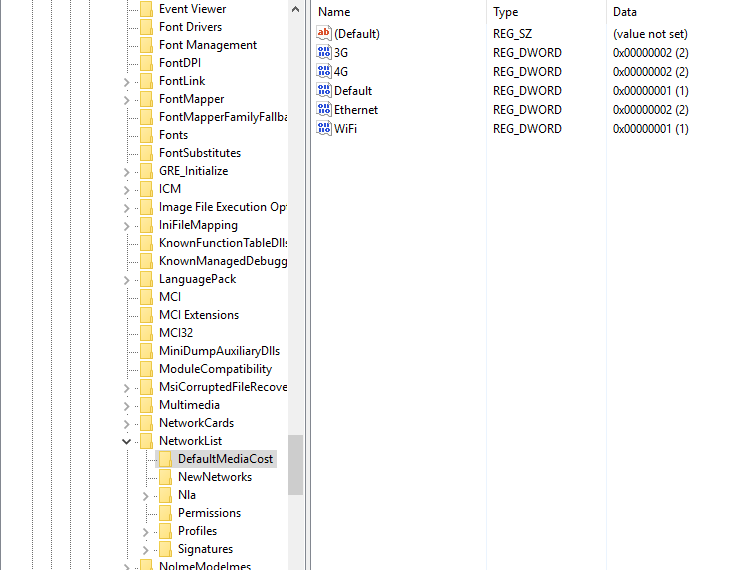
- You will see the following screen:
Take ownership of the key first using these steps
We first need to take the ownership of the key,we have to change as it is protected by Windows.
Follow these steps:
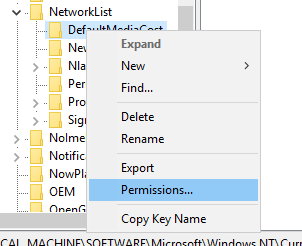
- Right click DefaultMediaCost and click permissions:

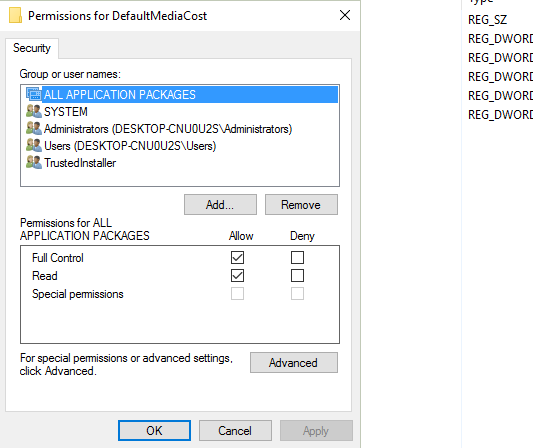
- Click on Advanced in the bottom right:

-
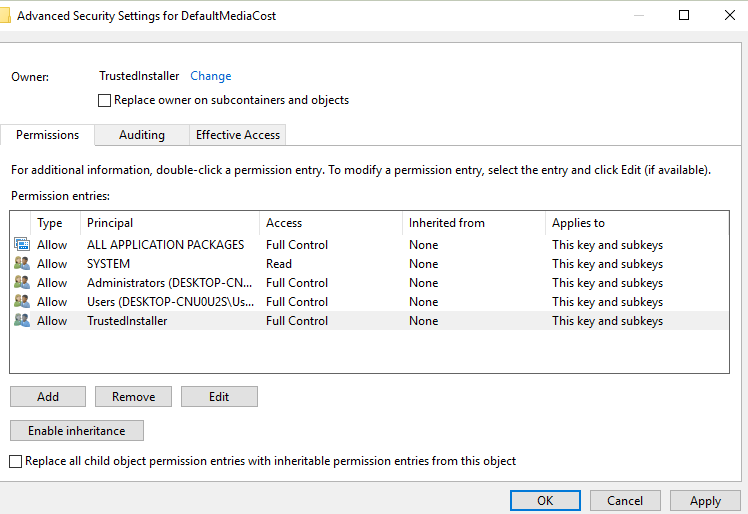
Now click on Change against Owner:

-
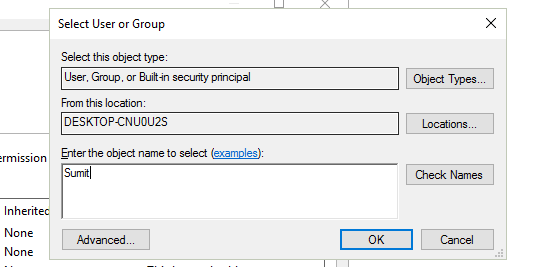
Then enter your username of the account you are running and windows will automatically convert it into the correct format:

-
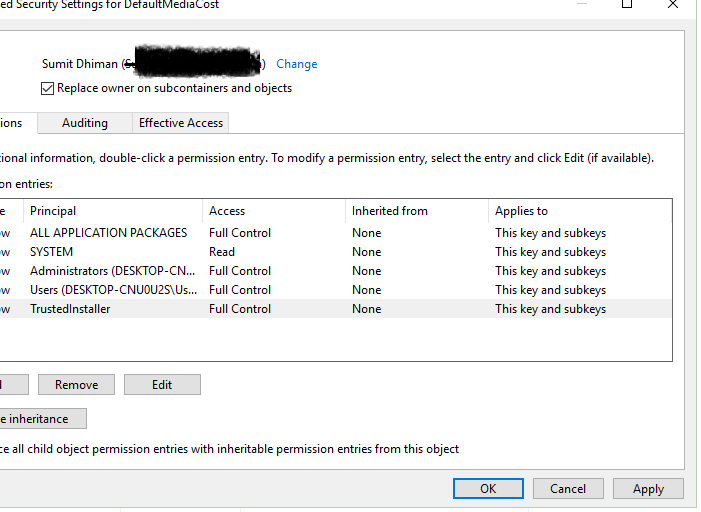
Click OK and check “replace owner on subcontainers and objects”:

-
Click OK on the screens.
You can get more details from here.
Modify the values
Either do it manually or use the scripts provided.
- Then, as you have taken the permissions, you need to change the value of Ethernet.
- You will see written 0X00000001 against Ethernet.Here,2 means metered, 1 means not metered.
- Right click Ethernet and select modify.Then change the value to 2 to set as metered.
Alternatively, you can use these ready-made scripts also:
Just open and click yes, you are good to go.
