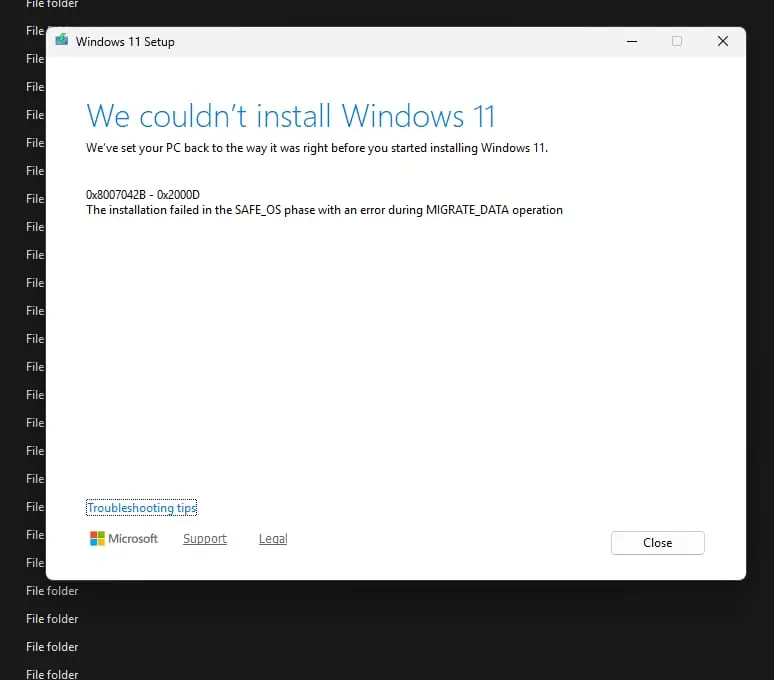
This article discusses a known Windows 11 issue in which the 25H2 repair install failed with error code 8007042B-0x2000D. This issue can also occur when updating from Windows 11 24H2 to 25H2.
Table of Contents
About Windows 11 25H2
Windows 11 version 25H2 brings performance refinements, security improvements, and stability updates, released in October 2025. However, in some cases users may encounter issues during maintenance. A typical scenario is when the 25H2 repair install failed, due to a known problem from Microsoft, which we would discuss.
Windows 11 25H2 Repair install failed due to Microsoft-Windows-TPM-Driver-WMI (CCSIAgent) error
Several users across various OEMs, like HP and Asus while trying to run a repair are failing to install Windows 11 25H2 with 8007042B error indicating a SAFE_OS phase MIGRATE_DATA error. Upon investigating the Setup log files, the following error is seen:
V2VArbitrate: Source migration unit \Microsoft-Windows-TPM-Driver-WMI (CCSIAgent)
is not supported on the destination machine and it will not be restored
V2VArbitrate: Source migration unit is critical, arbitration will fail
V2V Arbitration failed. Last error: 0x00000032
pSPExecuteApply: Apply operation failed. Error: 0x0000002C
Apply (machine-independent apply, offline phase): Migration phase failed. Result: 44
ExecuteOperations: Failed execution phase Safe OS. Error: 0x8007042B
Upon reading the logs, it seems like a TPM Manifest related problem, but it is not clear about the root cause, since there are no Independent TPM packages or optional feature which can cause the problem. It seems like thhhe component is baked in the Image, so a direct fix is not there.
Courtesy of Zhlkk on Reddit, a solution is available written by him in this post to fix 25H2 Repair install failed error
Resolve the Windows 11 25H2 update error due to the TPM manifest
- Open/Extract the Windows 11 25H2 ISO file
- Open the ISO file and navigate to the Path – sources\Replacementmanifests folder. In that, delete the file \sources\replacementmanifests\tpmdriverwmi-replacement.man from the Windows installation media.

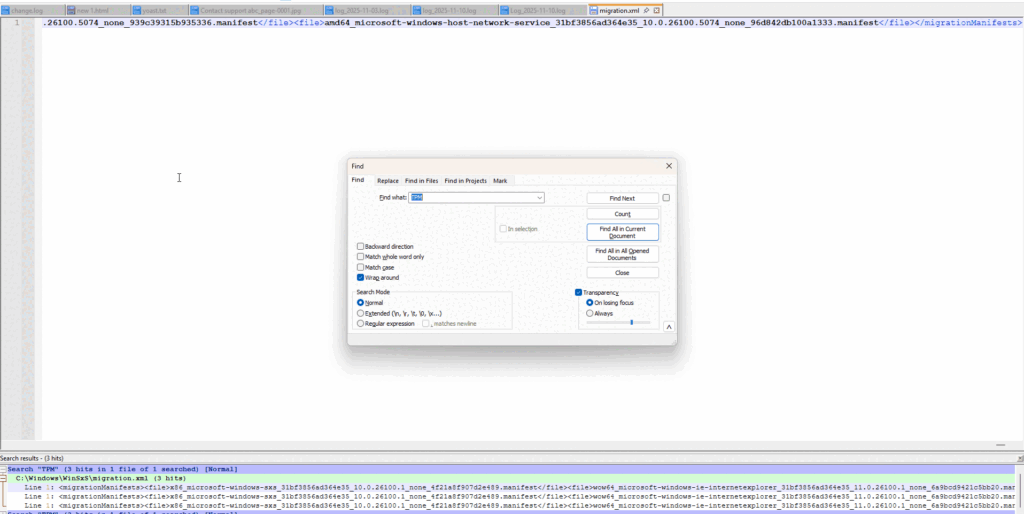
- On the affected system, we would instruct Windows not to try replacing the manifest from 25H2 ISO file. Concurrently, the file handling the manifest is \Windows\WinSxS\migration.xml. Take Ownership of the file as Step 1 (Steps are here if you need).
- Open the file using Notepad. The file would have a lot of <file></file> tags.
- Search for microsoft-windows-tpm-driver-wmi. There would be 2 entries. Delete both of them, as per the GIF.
- Clear the upgrade cache by deleting the $WINDOWS.~BT folder in Windows C drive.
- Disconnect the system from the internet to keep the upgrade environment offline.
- Restart the upgrade process and proceed with the repair install again.
The update should now be complete successfully.