As you might be aware, Your Windows Guide group is also a part time hobbyist web developer, having developed Browser Sticky Notes and Open in the Internet Archive. It is time for the third addon to launch, a more of a Clipboard manager Chrome extension, also available for Firefox, that helps you reuse text snippets in your web Browser.
Table of Contents
Meet SlashPaste, the Clipboard manager Chrome Extension
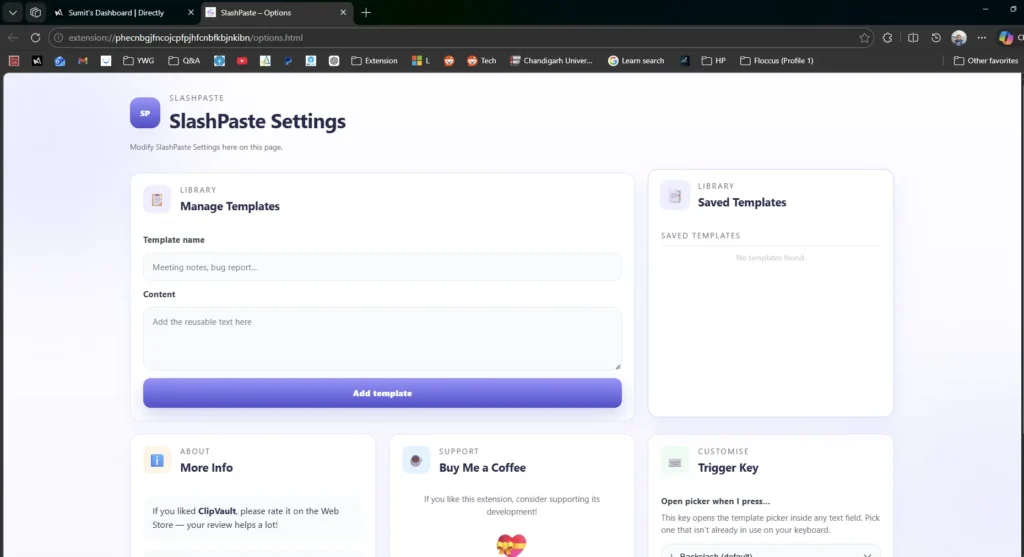
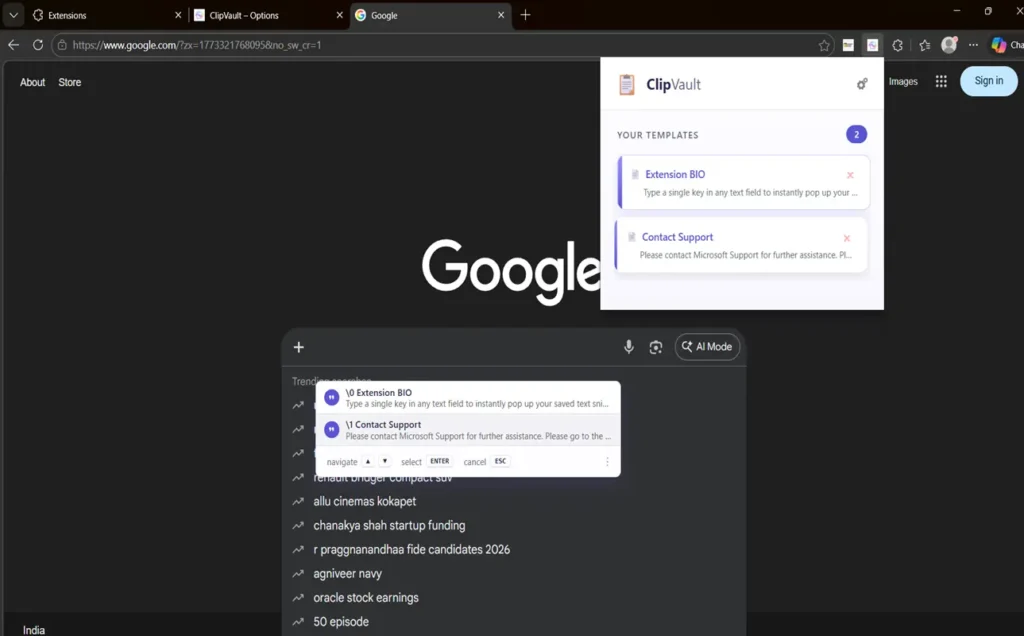
Whether you are sending repetitive customer support replies, inserting code blocks, or reusing email templates, this Chrome extension makes everything incredibly easy. Instead of constantly copying and pasting from messy documents, SlashPaste lets you save your frequently used text and insert it instantly into any text field on any website. Simply press your trigger key (like the backslash \) while typing, pick your saved snippet from the sleek pop-up menu using your arrow keys, and press Enter. You do not even need to touch your mouse! It is fast, works everywhere, and safely syncs across all your devices without tracking your private data.
Extension/Addon features that help to reuse text Snippets
There are several features of the Extension, which I have written below:
Instant inline picker — Trigger a floating snippet menu directly at your text cursor on any webpage. Works in standard inputs, textareas, and contenteditable fields (including rich-text editors).
- Keyboard-first workflow: Use Arrow Up/Down to navigate, Enter to insert, and Esc or Backspace to dismiss. Your hands can stay on the keyboard.
- Customizable trigger key — If you don’t like the backslash, you can change the trigger key to any character you prefer on the Options page.
- Snippet manager — Easily add, preview, copy, and delete snippets from the toolbar popup without leaving the current tab. Snippets display a count so you always know how many you have.
- Snippet manager — Easily add, preview, copy, and delete snippets from the toolbar popup without leaving the current tab. Snippets display a count so you always know how many you have.
- Sync your snippets across devices—these are saved in Chrome Sync storage, ensuring your library is accessible automatically on every Chrome browser where you are signed in.
- SlashPaste operates seamlessly across all websites and frames, making it functional in web apps, email clients, CRMs, coding environments, and more.
Download SlashPaste Extension
To download the SlashPaste extension that helps you to reuse text Snippets in your favorite browser, use these links:
SlashPaste – Text Snippet Manager – Chrome Web Store
SlashPaste – Snippet Manager by Your Windows Guide
It is also worth reading our Browser Extension Privacy Policy, including for Clipboard manager Chrome extension to reuse Text snippets here.