We’ve all been there. You’re reading an article, come across a term you don’t understand, and then the whole routine begins — copy the text, open a new tab, go to ChatGPT, paste it, hit enter. By the time you get an answer, you’ve completely lost your reading flow. What if you could skip all of that?
Meet Ask ChatGPT – Text Search, a lightweight Chrome extension that puts the power of ChatGPT just one right-click away.
Table of Contents
How It Works
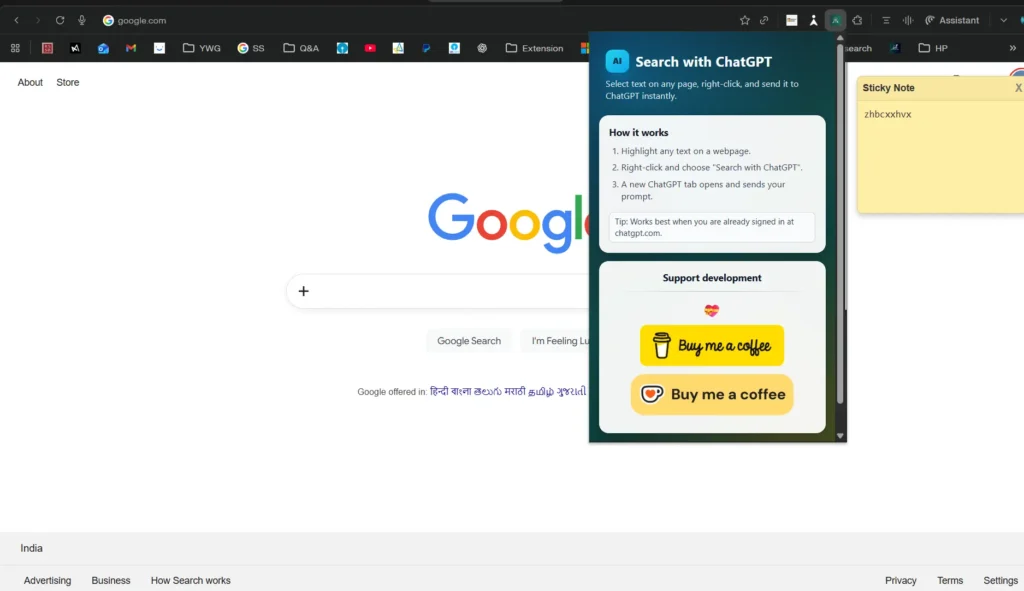
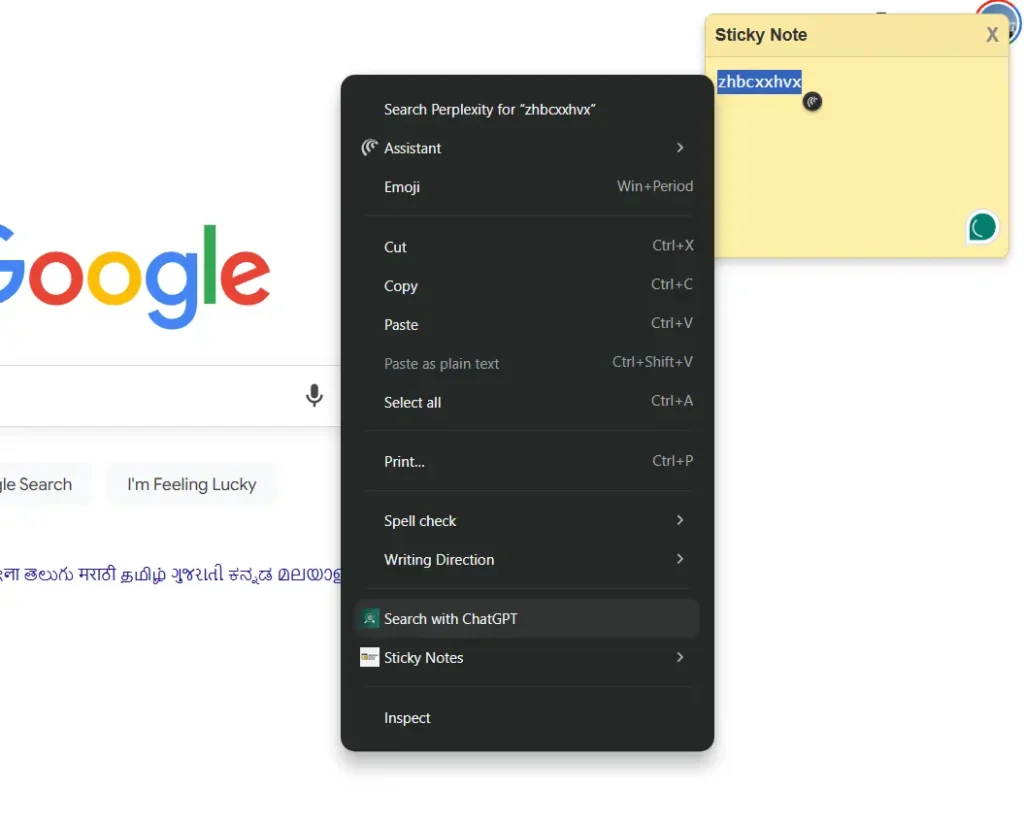
The concept is beautifully simple. With Ask ChatGPT Browser extension, You highlight any text on any webpage, right-click, and select “Search with ChatGPT” from the context menu. ChatGPT then opens with your query already submitted — no copy-pasting, no tab juggling. That’s it. Three clicks and you have your AI-powered answer.
Why It’s Actually Useful
Unlike many AI tools that promise convenience but in reality they do not, the Ask ChatGPT Browser extension genuinely makes it very easy. Here’s what makes it stand out:
- Works everywhere — articles, PDFs, emails, Google Docs, and more
- Zero friction — your text is pasted and submitted automatically
- No bloat — it’s only 51 KB and runs no background trackers
- Privacy-first — the developer explicitly declares it does not collect, store, or transmit any of your data.
Who Should Install the Ask ChatGPT Browser Extension?
Whether you’re a student trying to understand a complex paragraph while researching, a professional fact-checking a report on the fly, a writer looking up an unfamiliar term mid-draft, or a developer decoding technical documentation — this extension was built for you. Basically, if you already use ChatGPT regularly, you’ll wonder how you ever browsed the web without it.
Get Started in Seconds by Downloading
The Ask ChatGPT Browser extemsion is free and requires just a free ChatGPT account at chatgpt.com. Install it from the Chrome Web Store, and the next time you highlight something interesting online, your AI assistant is already waiting in your right-click menu.
Try it once, and going back to copy-pasting will feel like a step backward.
🔗 Install Ask ChatGPT – Text Search on Chrome Web Store
Check out our other Browser Extensions by Your Windows Guide group here.