With the next release of Windows 10, Microsoft added News and Interests to the taskbar. With News and Interests, you get a glance at dynamic content throughout the day. This article discusses how to show or hide News and Interests in the taskbar. As News and Interests is just a taskbar feature, you can either disable it, enable it or configure it to show the icon only. As this is right now in Insider Builds, it is subject to change depending on the feedback evolution.
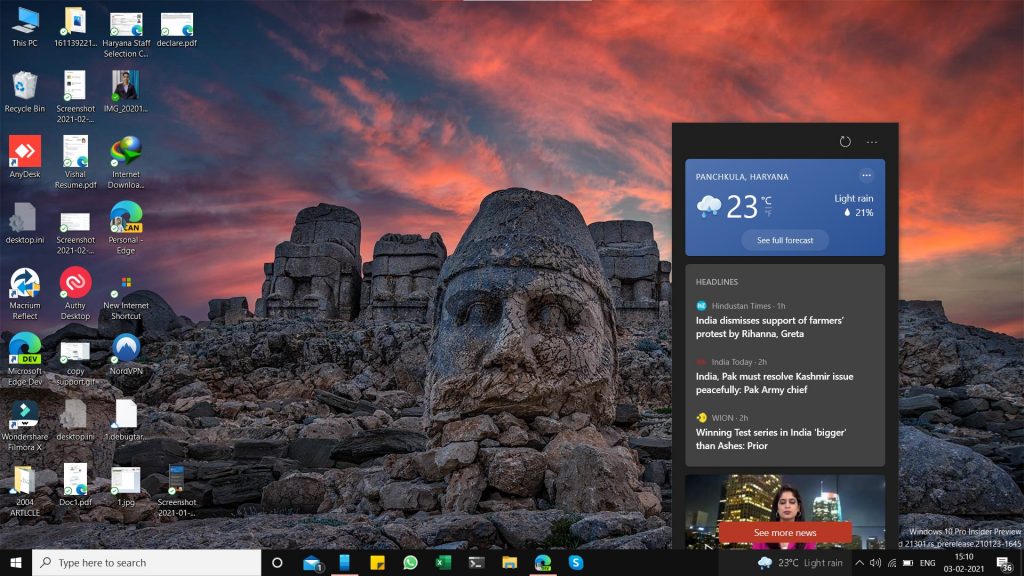
Enable or disable News and Interests in the taskbar
To enable or Disable News and Interests in the Taskbar, see the steps below:
- Right click the Taskbar on the desktop.
- Click News and Interests.
- Choose Turn off from the list of options.
Applies To: Windows 10 Insider Preview
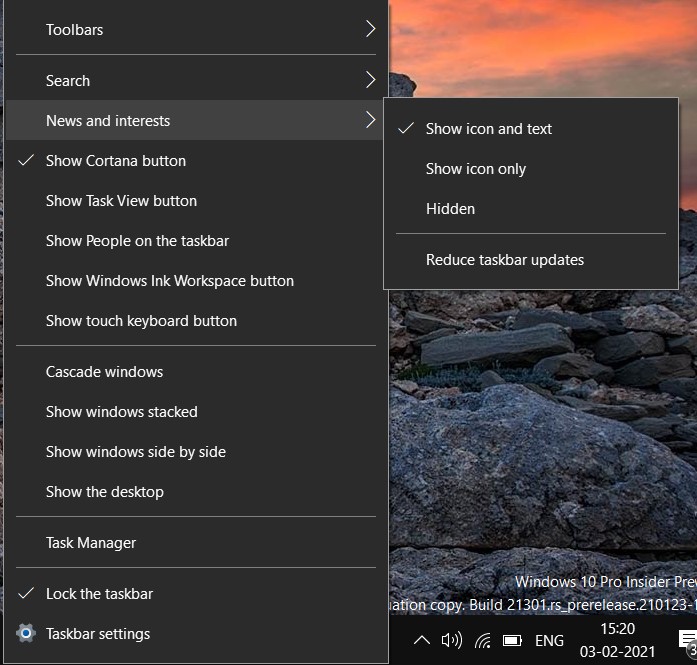
These steps can help you to turn off or hide News and Interests. Do you like it? Let us know in the comments.



