This article discusses an ongoing issue from Microsoft’s backend when the Microsoft Email for a code for your Microsoft Account is not arriving on your secondary email.

Table of Contents
What are Email verification codes?
Microsoft verification codes are temporary security codes sent to your registered email,to confirm your identity when signing in, resetting your password, or making sensitive changes to your account. They’re part of Microsoft’s two-step verification process, adding an extra layer of protection beyond just your password. You can choose how to receive these codes—via SMS or email. These days, many users are not getting the email codes to authenticate their accounts.
How to get the Microsoft Email verification code?
Until Microsoft resolves the issue of the Microsoft Email code not arriving, a workaround is available for obtaining the code. For this fix, you will need a mobile phone and a trusted device that you are already logged into, which can be authenticated using Windows Hello.
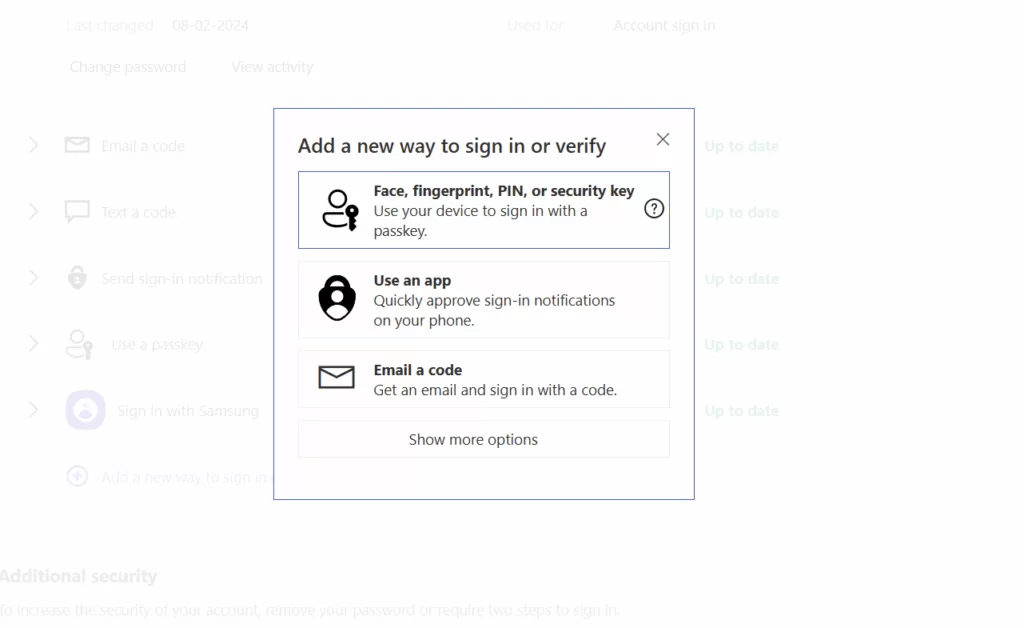
- Download the Microsoft Authenticator app on your phone.
- From the Trusted device, go to the Additional Security Options page.
- Click “Add a method to verify using the App” i.e. Microsoft Authenticator.
- Click Get it now since you have Authenticator already installed.
- Scan the code.
Finally, in the Authenticator app, if you click on your account, a 6-digit code will be displayed.
Another workaround to skip the verification code prompt
A user on the Microsoft Community has also shared a solution for the code problem mentioned here.
- Log out of the Microsoft account and close all current programs that have this issue, i.e., prompting for a code.
- Go to Microsoft Account and sign in using the password.
- Minimize the tab, then relaunch the problematic apps that ask for the code, such as the Microsoft Store and email app.
- You should not be asked for the code from now on.
To summarise, these methods would help you fix the Microsoft Email code not arriving for your MSA and hence get a code for your Microsoft Account. If you are receiving single-use code emails that you did not request, please see this support article. Additionally, Microsoft has a support document for verification codes, which includes a troubleshooter. You can try the same here.


