Since last week, the Microsoft Community forum has been full of reports(1,2,3) of a weird problem, where a file named Debug.log on the desktop mysteriously appears. The stories date back as early as October 10th. Via one of the questions:
I turned on my computer one time, and suddenly I got a debug.txt file on my desktop with the following text:
[1010/193655.954:ERROR: settings.cc(430)] Settings version is not 5
[1010/194817.397:ERROR:directory_reader_win.cc(43)] FindFirstFile: The system cannot find the path specified. (0x3)
> [1015/131657.370:ERROR:directory_reader_win.cc(43)] FindFirstFile: The system cannot find the path specified. (0x3)
I make restore points every few days, but can someone tell me how to fix this issue? I didn’t get a blue screen, and I experienced this on my Surface Laptop 3. Please help!
I did troubleshooting with many users, and it seems like Chromium-based browsers are the root cause of triggering. As Microsoft Edge is now Chromium-based, the users using Edge also have the same problem. There are no steps to reproduce the issue, and the case strikes at random.
When the user tries to delete it, the file shows as open in the browser, so the user cannot delete it.
Fix Debug.log appearing on the desktop problem
Dave, a Moderator on the forums, has suggested a fix that has many helpful votes. For this, the user needs to delete the contents of a folder called Crashpad. The directories for the common Chromium-based browsers are as under:
- Microsoft Edge: %localappdata%\Microsoft\Edge\User Data\Crashpad
- Google Chrome: %localappdata%\Google\Chrome\User Data\Crashpad
Delete everything inside the CrashPad folder and see if it helps if you are having this debug.log issue.
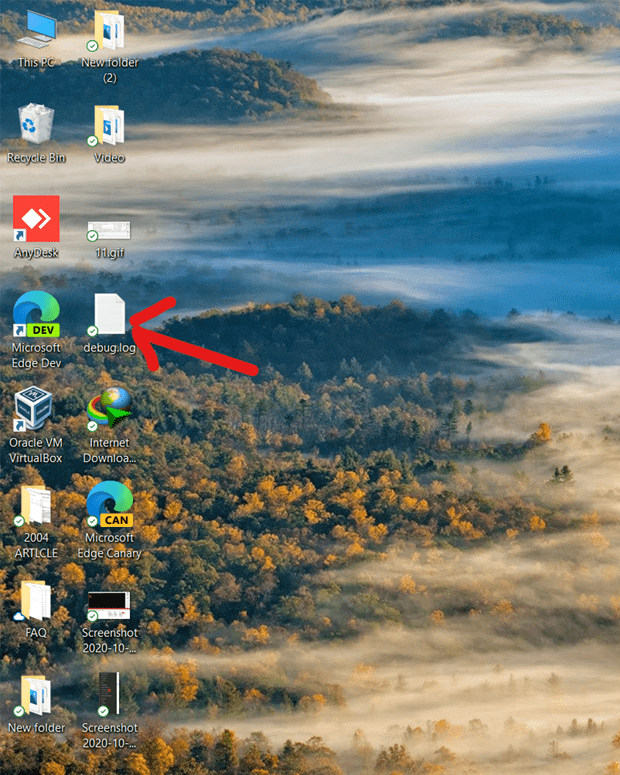
Issue filed in the Chromium tracker
A bug has also been posted in the Chromium Bug tracker as well, which you should upvote if you also notice a debug.log file on the desktop.
Are you having the same problem? Let us know in the comments. The post will be updated if there is any updates.
——————————————————————————————————————————————————————
Update:10/20/2020
We have a patch to fix in review: https://chromium-review.googlesource.com/c/crashpad/crashpad/+/2425108
A fix for this issue will be available soon. See this link from Chromium for more details.



