Microsoft has released the next version of Microsoft Edge to the public on 15th January 2020. A separate installer has been made available for downloading and Installation. The update will roll out gradually via Windows Update channels, starting with Windows Insiders. With this update, Legacy Microsoft Edge will be removed (sort of).
Although the old Microsoft Edge received little positive feedback from Windows 10 users, some features in legacy Edge were handy for users, such as the ability to annotate on web pages. Concurrently, some of the folks also want to keep the same as well, and this tutorial discusses this scenario – how to keep the old Edge and install the newer one simultaneously.
Keep Microsoft Edge Legacy with Edge Chromium
- In the search, type in regedit and press enter. You can also type it in Run dialog box(Win+R)
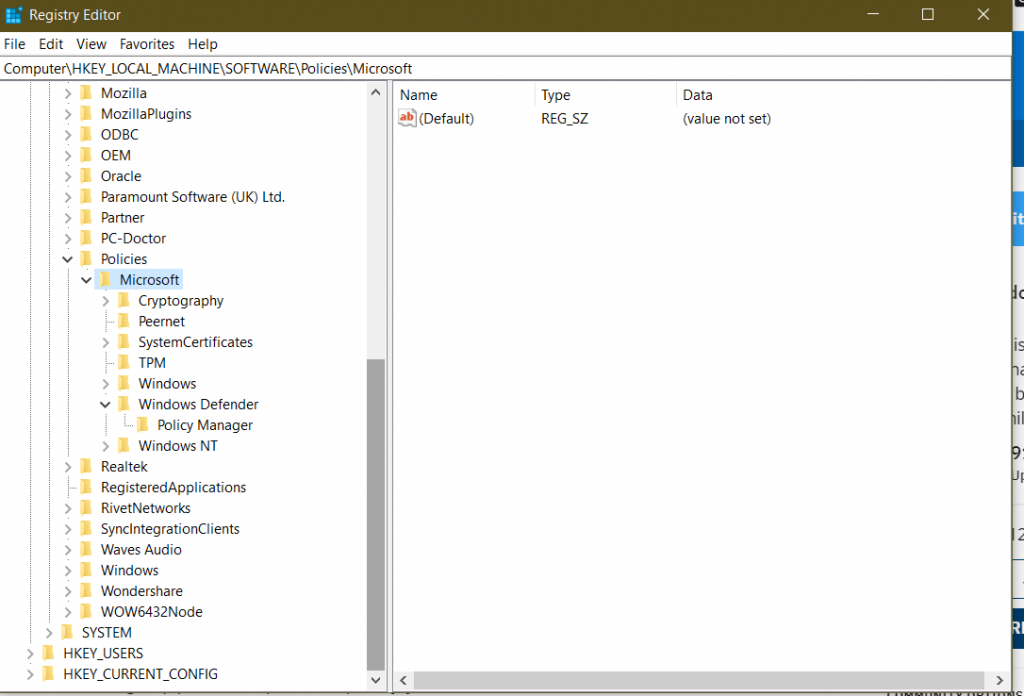
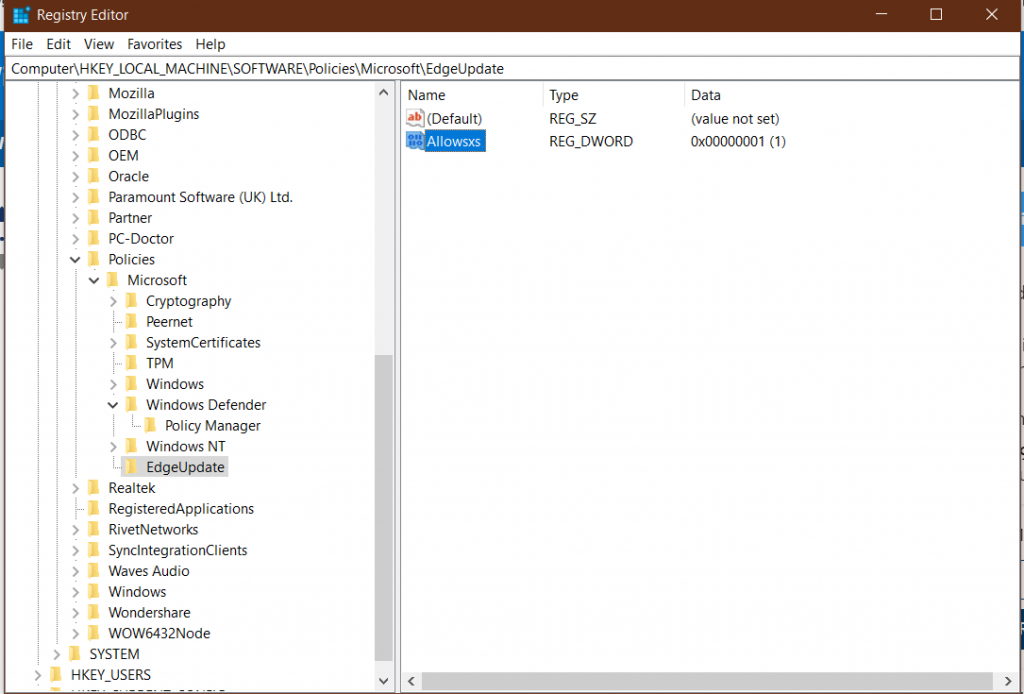
- Navigate to Computer\HKEY_LOCAL_MACHINE\SOFTWARE\Policies\Microsoft

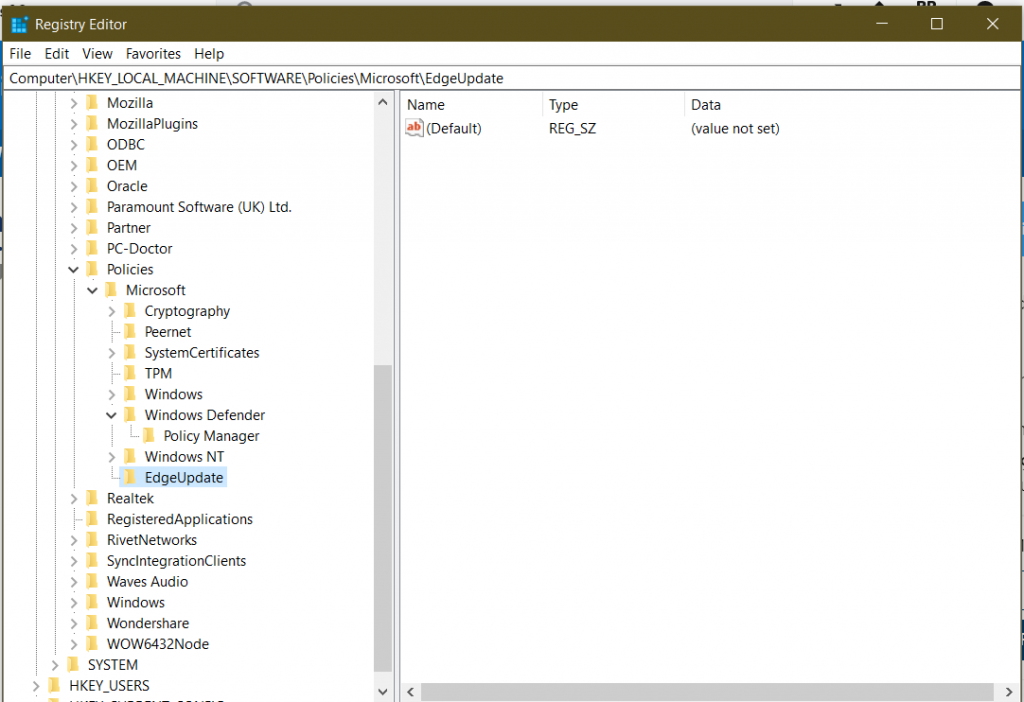
- Right-click Microsoft and select New key and name it EdgeUpdate.

- Open EdgeUpdate key.
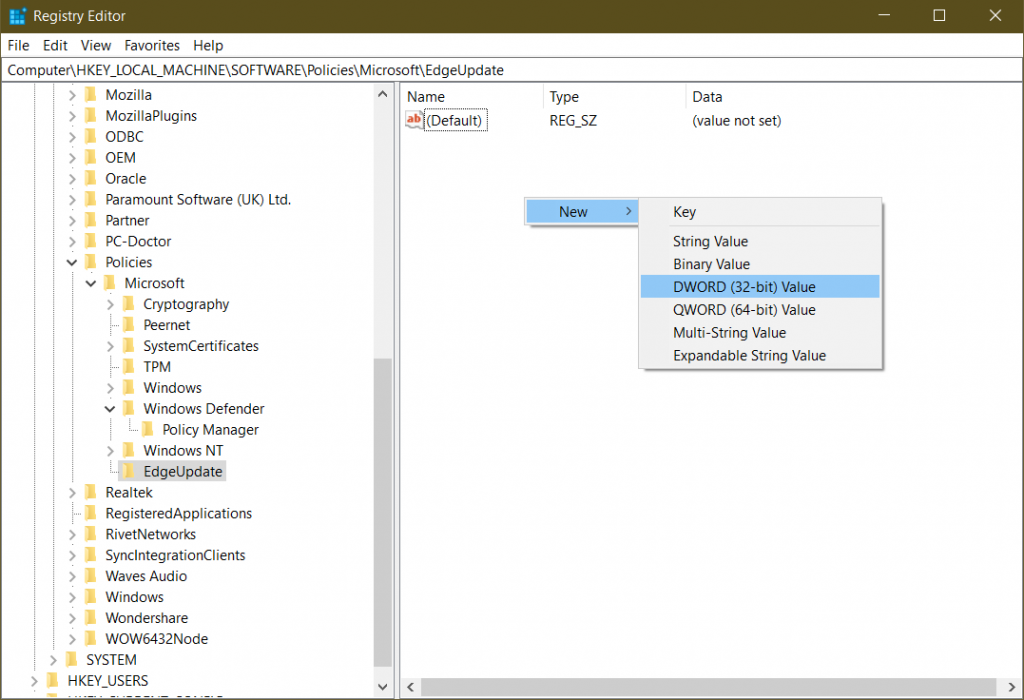
- On the right-hand side of the same, right click new DWORD(32-bit) and name it Allowsxs

- Next step, Right click the key after it is created and change the value to 1. Make sure hexadecimal is selected.

- Download the new version of Microsoft Edge.
- Although not visible in the taskbar, in the search you should see a browser that you can use!
Credits to Reddit post from here